When Can I Delete A Submission?
A submission can be deleted using the Trash Icon at the bottom ribbon of a submission.
A submission can only be deleted if it is not currently in a workflow.
The Delete option will appear only when the submission is in one of these two states:
- Saved but not yet submitted (a draft).
- Rejected back to the start of the workflow.
In any other state, the submission cannot be deleted.
If The Submission Is In Route
Find the submission you want to delete. As the Coordinator, choose Reject to Start sends the form back to the originating user and places the submission into an Unsubmitted state. At that point, the submission can be deleted either by the user who created it or by any user who has access to that user’s submissions (using Insights is typically the quickest method).
1. Select Reject

2. Select Reject To Start

3. Add a Note
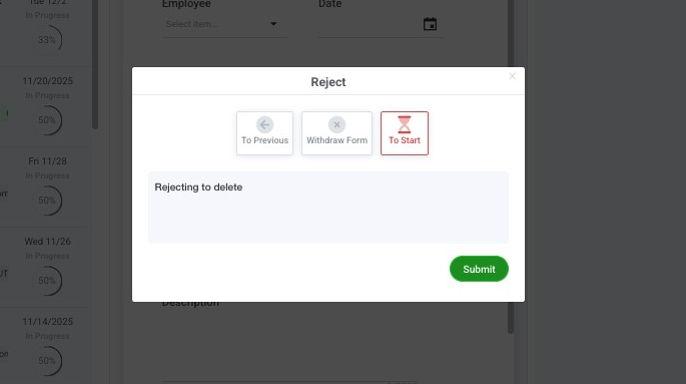
4. Click "Submit"
